25 of the Best Font Pairings for your Squarespace Website
Font pairings are combinations of two fonts, usually one for headings and one for body text, that work together to create contrast, hierarchy, and readability. Below are 25 of the best font pairings that work especially well in Squarespace, grouped by brand style and easy to adapt to drag-and-drop builders.
Choosing fonts for a website sounds easy until you actually have to choose them.
Squarespace gives you a lot of good options, which is great… but it can also make it hard to tell which fonts actually work well together. A font might look beautiful on its own and still feel weird once it’s paired with body text.
That’s exactly why we eliminated the hard part by curating web designer approved font pairings. When your heading and body fonts complement each other, your site feels easier to read, more intentional, and more polished overall. Below, we’re sharing 25 font pairings we regularly use in Squarespace templates and client projects, grouped by brand style to make it easier to find what fits your look.
What Are Font Pairings?
Font pairings are combinations of two fonts that are designed to work together, most often one for headings and one for body text. A good pairing creates contrast without clashing and helps guide website visitors through your content.
Rather than choosing fonts at random, pairing them intentionally makes your website feel cohesive and professionally designed.
How to Choose Font Pairings for Your Website
Most strong font pairings share a few common traits:
One font adds personality or contrast for headings
One font stays neutral and readable for body text
The two fonts feel different enough to create hierarchy, but related enough to feel cohesive
If both fonts are trying to stand out, the design can feel completely off. If they’re too similar, everything blends together. The pairings below create a well designed balance that works well on real websites.
Our Favorite Luxury Squarespace Font Pairings
Playfair Display & Montserrat
Playfair Display adds an elegant, editorial feel to headings, while Montserrat keeps paragraphs clean and modern. This pairing works well for personal brands and service-based businesses that want a polished look without feeling stiff.

Cormorant Garamond & Source Sans Pro
Cormorant Garamond brings a classic, refined tone to headings, balanced by Source Sans Pro’s readability. Slightly larger body text helps this pairing feel light and comfortable to read.

Bodoni 72 & Raleway
Bodoni is bold and dramatic, making it best suited for headings. Raleway softens the design and keeps body text approachable. This pairing is common in fashion, beauty, and visually driven brands.

Didot & Open Sans
Didot creates sharp, high-contrast headings, while Open Sans keeps longer text readable. This pairing works especially well on image-forward websites.

Libre Baskerville & Lato
Libre Baskerville adds warmth and a traditional feel, while Lato keeps the layout modern and easy to read. This is a flexible pairing that doesn’t feel overly formal.

Our Favorite Modern Squarespace Font Pairings
Avenir Next & Roboto
Avenir Next gives headings a clean, polished look, while Roboto handles body text comfortably. This pairing works across a wide range of industries.

Futura & Nunito
Futura adds strong structure to headings, while Nunito softens the overall look. Together, they feel modern and friendly without being overly trendy.

Proxima Nova & Merriweather
Proxima Nova keeps headings crisp, while Merriweather improves readability for longer content. This pairing is a strong choice for blogs and content-heavy websites.

Gotham & Open Sans
Gotham feels confident and structured in headings, while Open Sans keeps body text clear and accessible. This works well for professional or corporate brands.

Montserrat & Lora
Montserrat’s clean lines pair nicely with Lora’s subtle serif details. This combination feels balanced and works well across multiple page types.

Our Favorite Simple Squarespace Font Pairings
Helvetica Neue & Roboto
Both fonts are highly readable and unobtrusive. This pairing works best when typography isn’t meant to be the focal point of the design.

Lato & Noto Sans
Neutral and reliable, this pairing keeps content easy to read without drawing attention to itself. A good option for straightforward websites.

Arial & Source Sans Pro
This combination prioritizes clarity and function. It works best when supported by strong layout and visuals.

Proxima Nova & Open Sans
Familiar and flexible, this pairing is easy to scale across multiple pages and works well for service-based businesses.
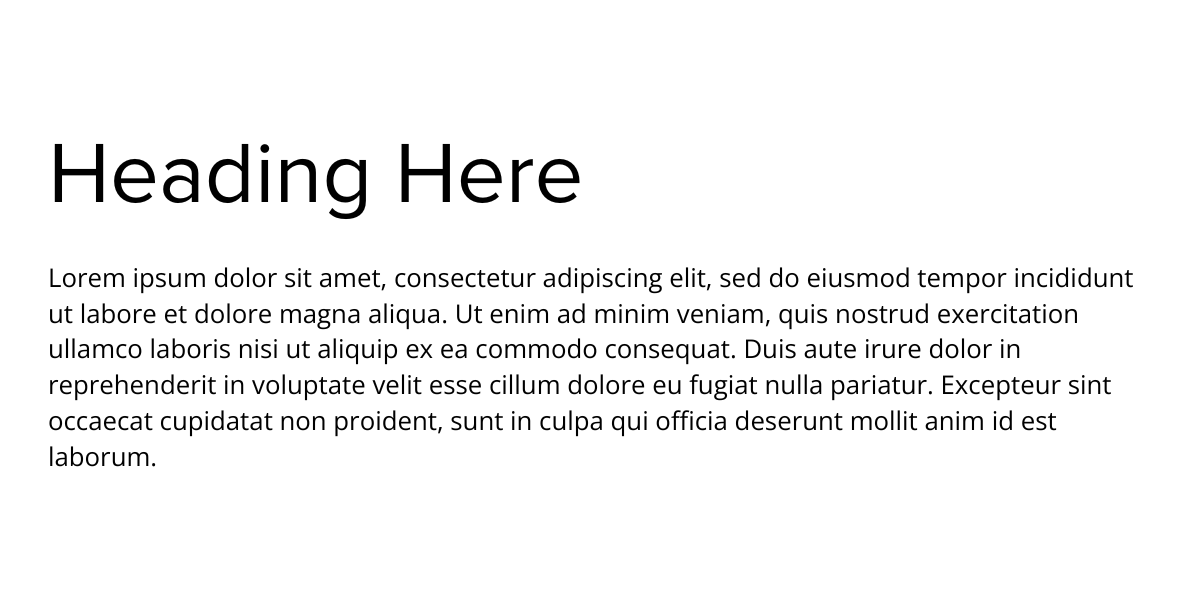
Raleway & PT Sans
Raleway adds a light, refined touch to headings, while PT Sans keeps paragraphs grounded and readable. This pairing suits minimalist layouts.

Our Favorite Bold Squarespace Font Pairings
DIN Next & Roboto
DIN Next creates strong, structured headings, while Roboto keeps body text comfortable to read. This pairing suits confident, modern brands.

Bebas Neue & Oswald
Both fonts are bold and condensed, making them best for short, high-impact headings. Generous spacing helps this pairing feel balanced.

League Spartan & Nunito
League Spartan draws attention in headings, while Nunito softens the layout. Together, they create contrast without feeling harsh.

Anton & Open Sans
Anton works best for headlines and short phrases. Open Sans balances it out with clean, readable body text.

Roboto Condensed & Montserrat
Roboto Condensed creates compact headings, while Montserrat adds structure and breathing room. This pairing works well in grid-based layouts.

Our Favorite Playful Squarespace Font Pairings
Caveat & Open Sans
Caveat adds a handwritten, casual feel, while Open Sans keeps content readable. Using Caveat sparingly helps it feel intentional.

Fredoka One & Poppins
Fredoka One brings personality to headings, while Poppins keeps the layout structured. This pairing works well for creative brands.

Quicksand & Raleway
Both fonts feel light and friendly, making this a good fit for lifestyle brands and personal projects.

Pacifico & Roboto
Pacifico is expressive and best used in small doses. Roboto keeps the design grounded and easy to read.

Chewy & Lato
Chewy adds playful character, while Lato ensures body text stays readable. This pairing suits youthful, informal brands.

Font Pairing FAQs
Do font pairings affect how professional a website feels?
Yes. Font pairings play a big role in first impressions. Even subtle differences in contrast, spacing, or font style can make a website feel more polished—or more amateur—depending on how intentionally the fonts are paired.
How many fonts should I use on a website?
Most websites work best with two fonts: one for headings and one for body text. Using more than two fonts can make a design feel cluttered and harder to follow, especially on smaller screens.
Can I use two sans-serif fonts together?
Yes, two sans-serif fonts can work well together as long as there’s enough contrast between them. Differences in weight, width, or overall tone help each font serve a clear role instead of blending together.
Which font should be used for headings versus body text?
Headings usually benefit from a more distinctive or expressive font, while body text should prioritize readability. Fonts designed for long-form reading tend to perform better for paragraphs and longer sections of content.
Do font pairings look different on mobile devices?
They can. Font size, line height, and spacing all affect how pairings appear on smaller screens. Previewing your site on mobile helps ensure fonts remain readable and balanced across devices.
Putting Your Font Pairings to Work
Choosing font pairings is one of those design decisions that makes a bigger difference than it seems. When your headings and body text work well together, everything on your site feels easier to read, more intentional, and more considered.
Once your fonts are in place, layout is what brings them to life. Spacing, hierarchy, and structure determine how those fonts actually show up on the page and whether your site feels polished or pieced together.
If you want a head start, our 5 Website Layouts are designed for drag-and-drop builders like Squarespace and built with typography in mind, so your fonts have room to do their job from the start.